Circular material matcher
An app and a brand identity that help industrial designers swap a virgin material for a recycled one, and hold a sample before they commit.
- Year
- 2026
- Duration
- 8 weeks
- Role
- Research, UX and UI, brand identity, Android build. Solo project.
- Tools
-








The problem
Choosing a recycled material means trusting data you cannot check and a sample you cannot hold.
What I did
Designed the app from research to a working Android build, and the brand identity around it.
Where it stands
9 of 17 tester concerns are answered in the design. A second round of testing is still to run.
6.9% of the materials the world uses each year are recycled.
Source: Circularity Gap Report 2025, Circle Economy.
How might a recycled material be as easy to choose, try and specify as the virgin one it replaces?
For industrial design students and small studios who choose their own materials, without a materials engineer to ask.
A need in, a hand-off pack out
Four steps, each shown as it runs in the app.
Say what you need
Name what you are making and how it should look. Every answer is optional.
See what fits
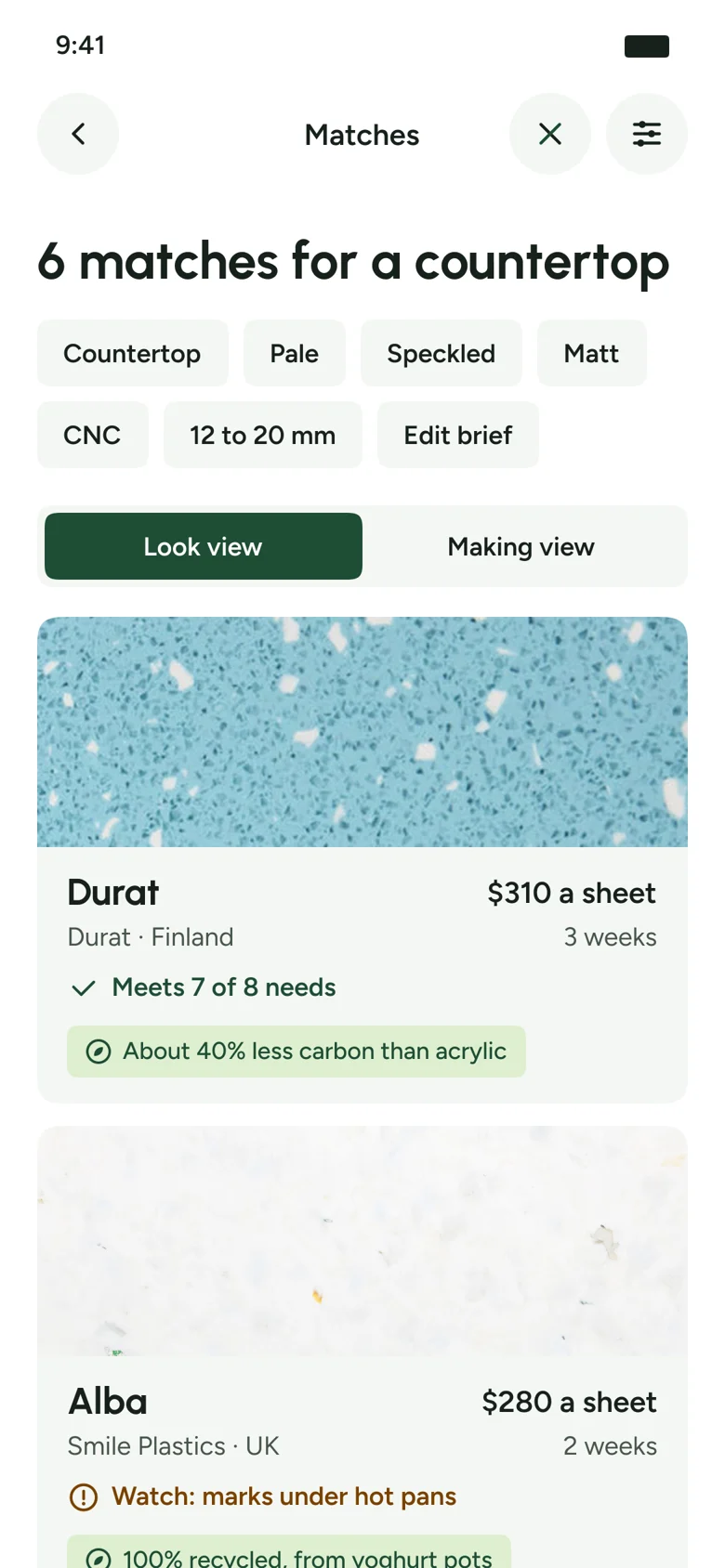
Each match says why it fits and what to watch, in plain words.
Hold a sample
Order a swatch or a trial cut before committing to a sheet.
Share the pack
A pack the workshop can build from, with the facts and the questions to ask.
16 people tested it, and it changed
Three interviews and a class critique. The clearest change: plain words first, the numbers one tap away.
The match card, before and after
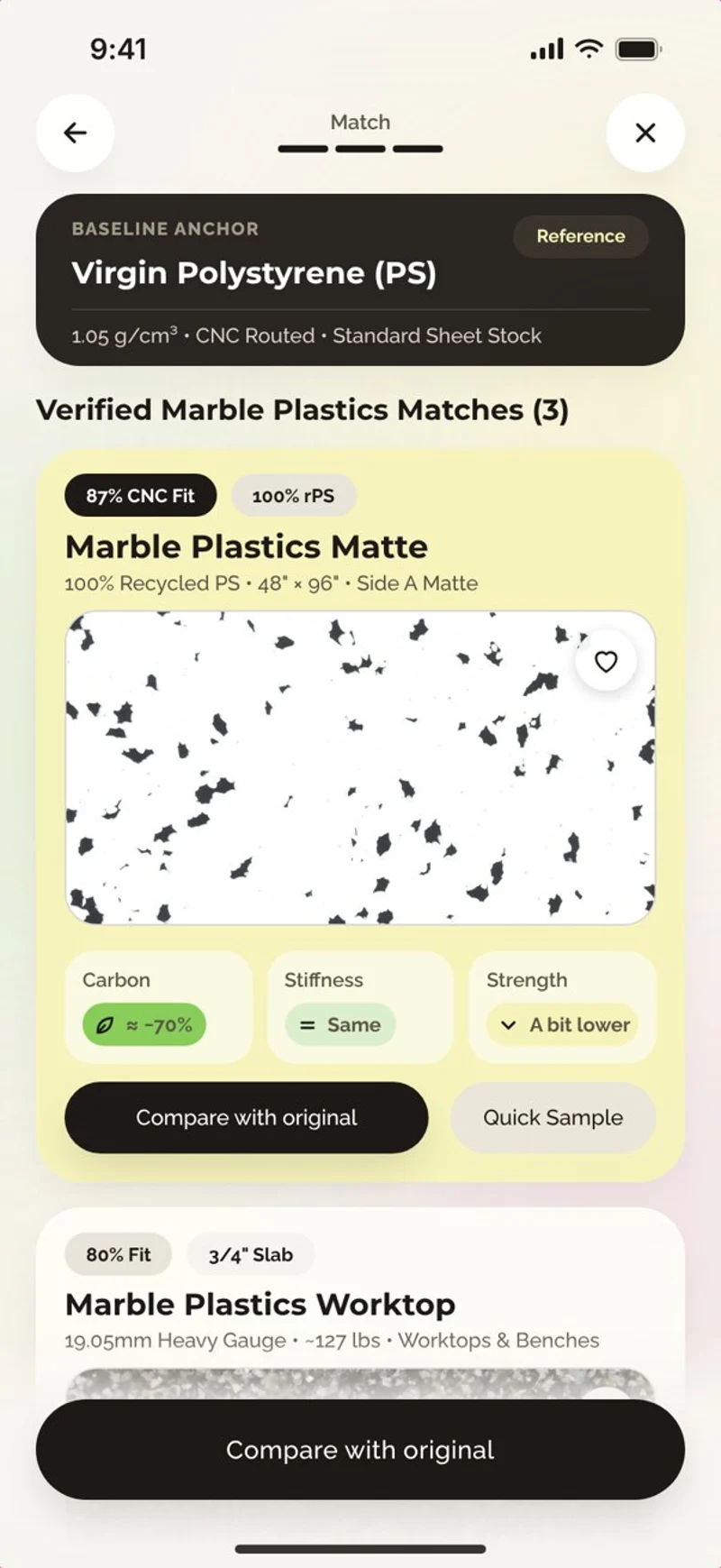
The first prototype led with a fit score. Testers asked what the missing part meant, so the score became a plain count and a named trade-off.
One mark, one corner, five colours
The identity carries Circuma from the app to the sample box and the workshop wall. The logo builds in the order its halves are drawn.
- Forest#1E4D34 · Leads
- Leaf#88CD5A · Accent
- Mint#DDEFD0 · Ground
- Petal#F6C6D5 · Under 10%
- Berry#9C1F5B · Emphasis
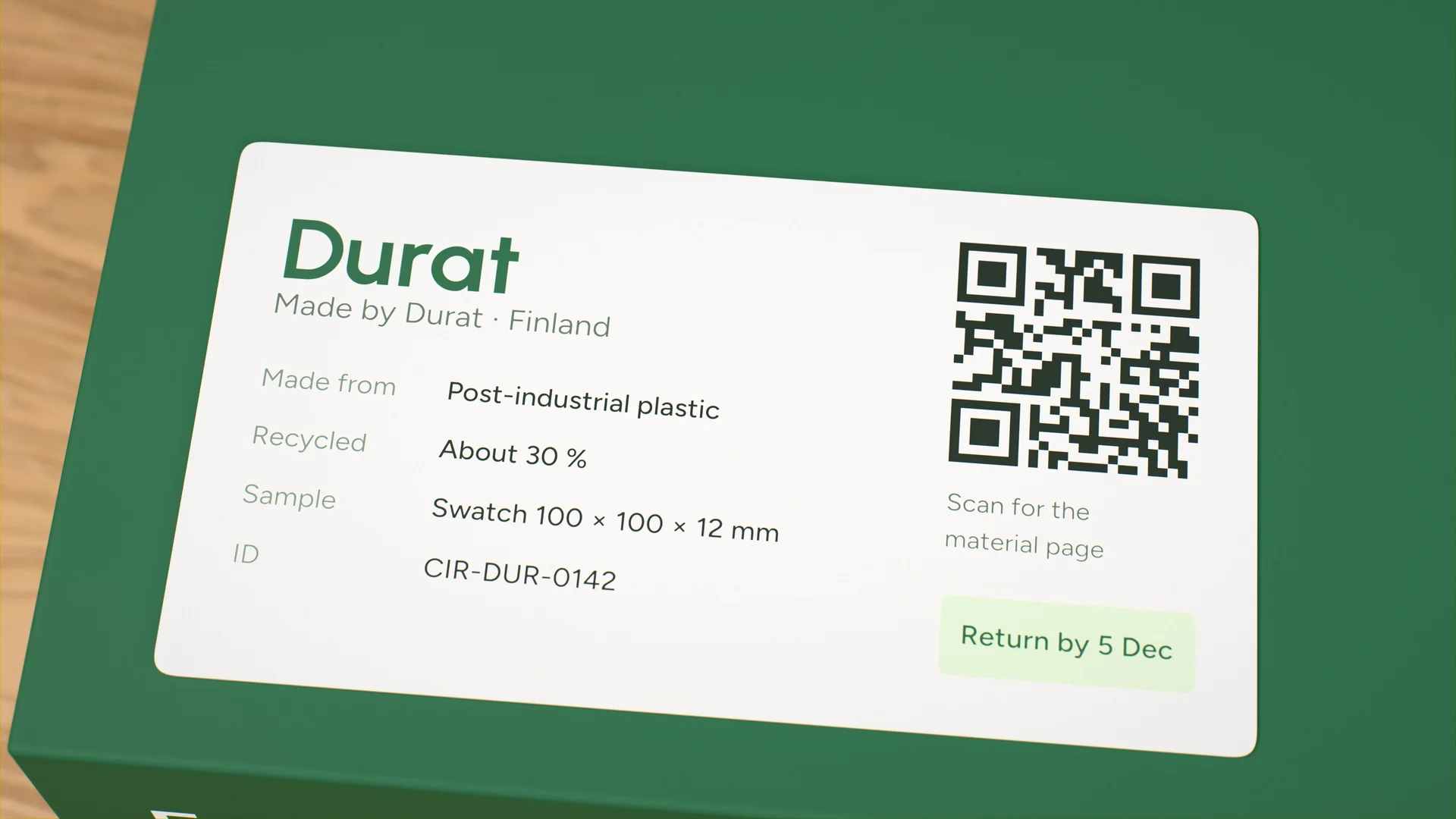
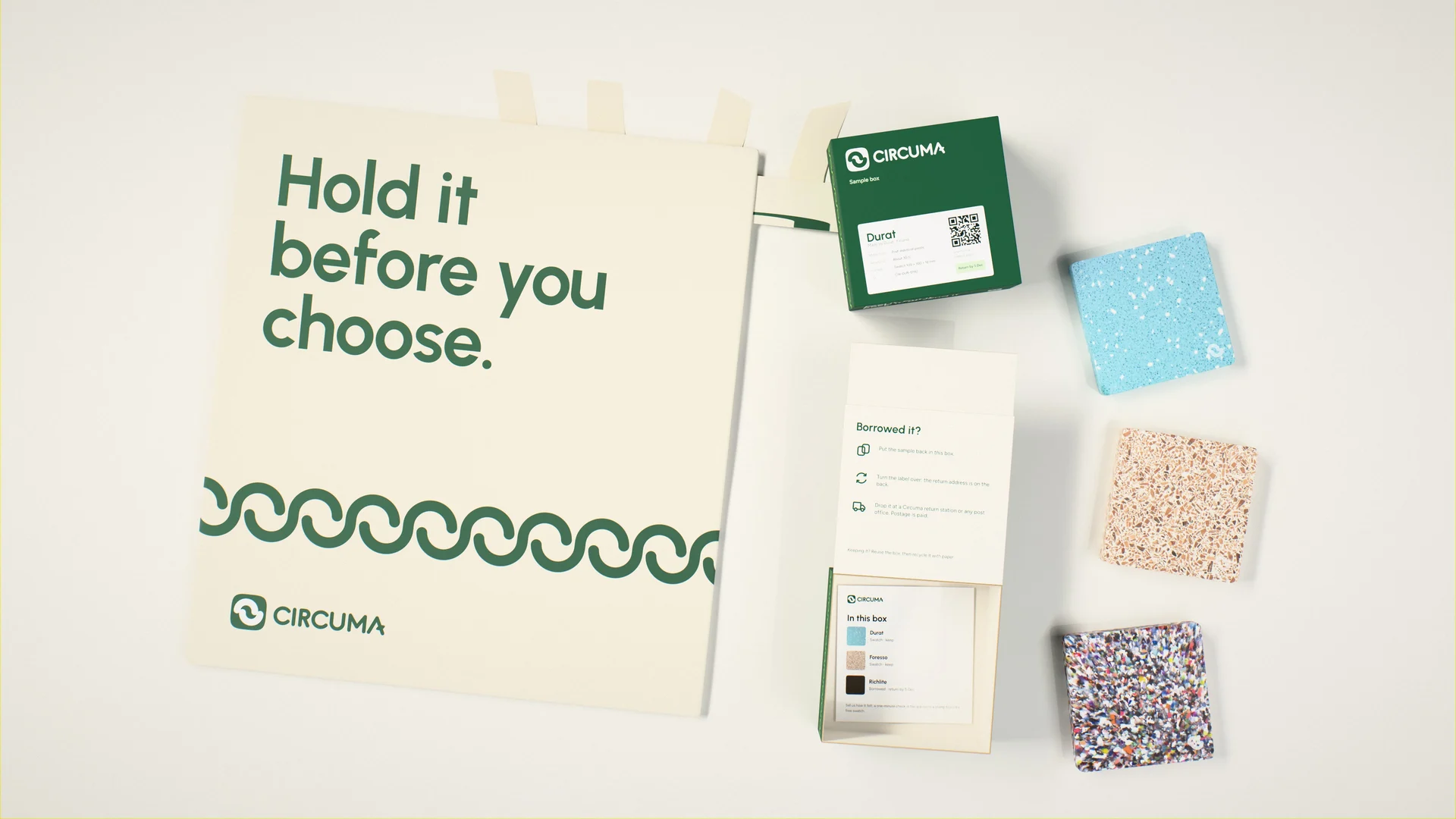
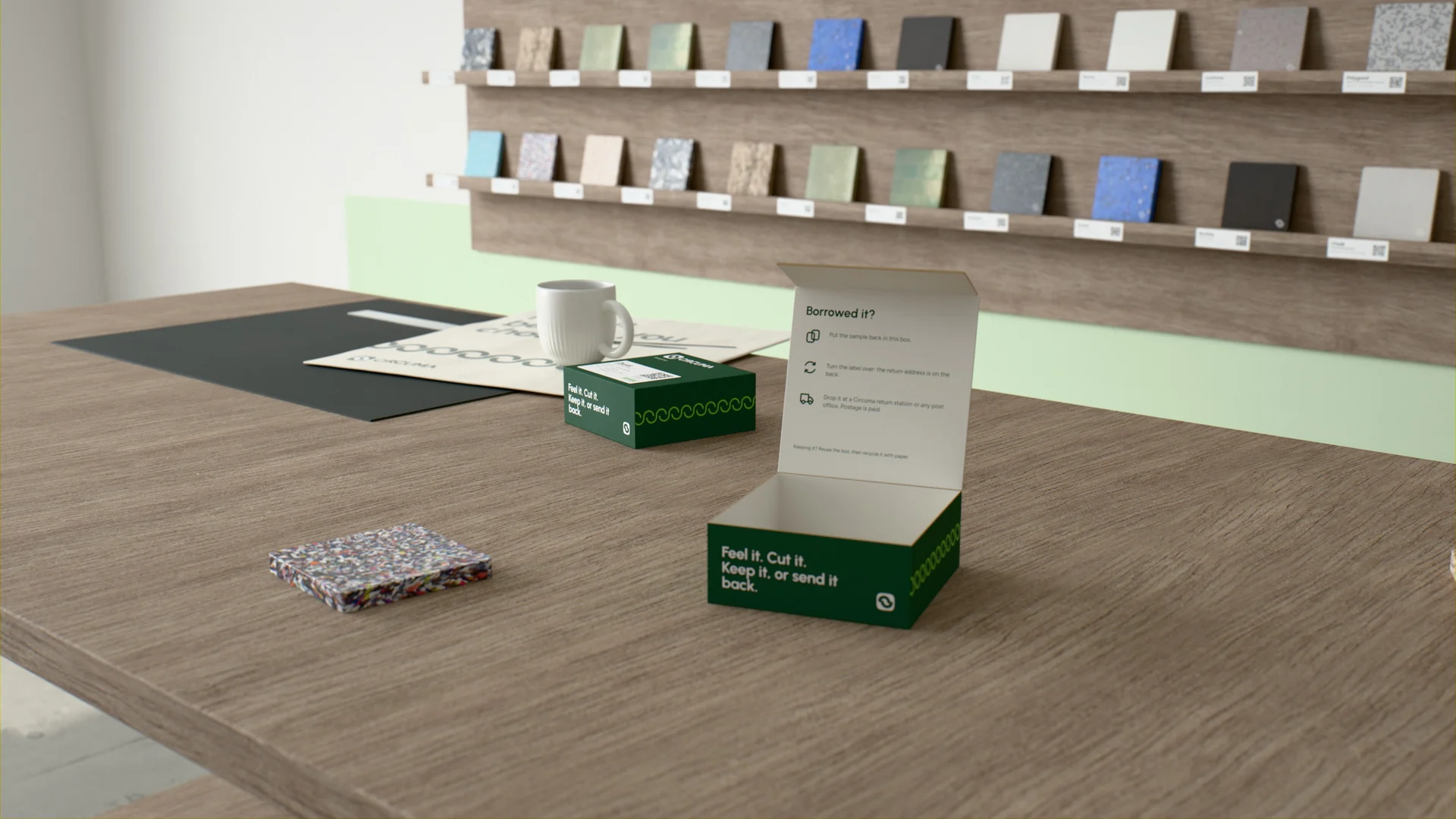
In the hand, on the wall
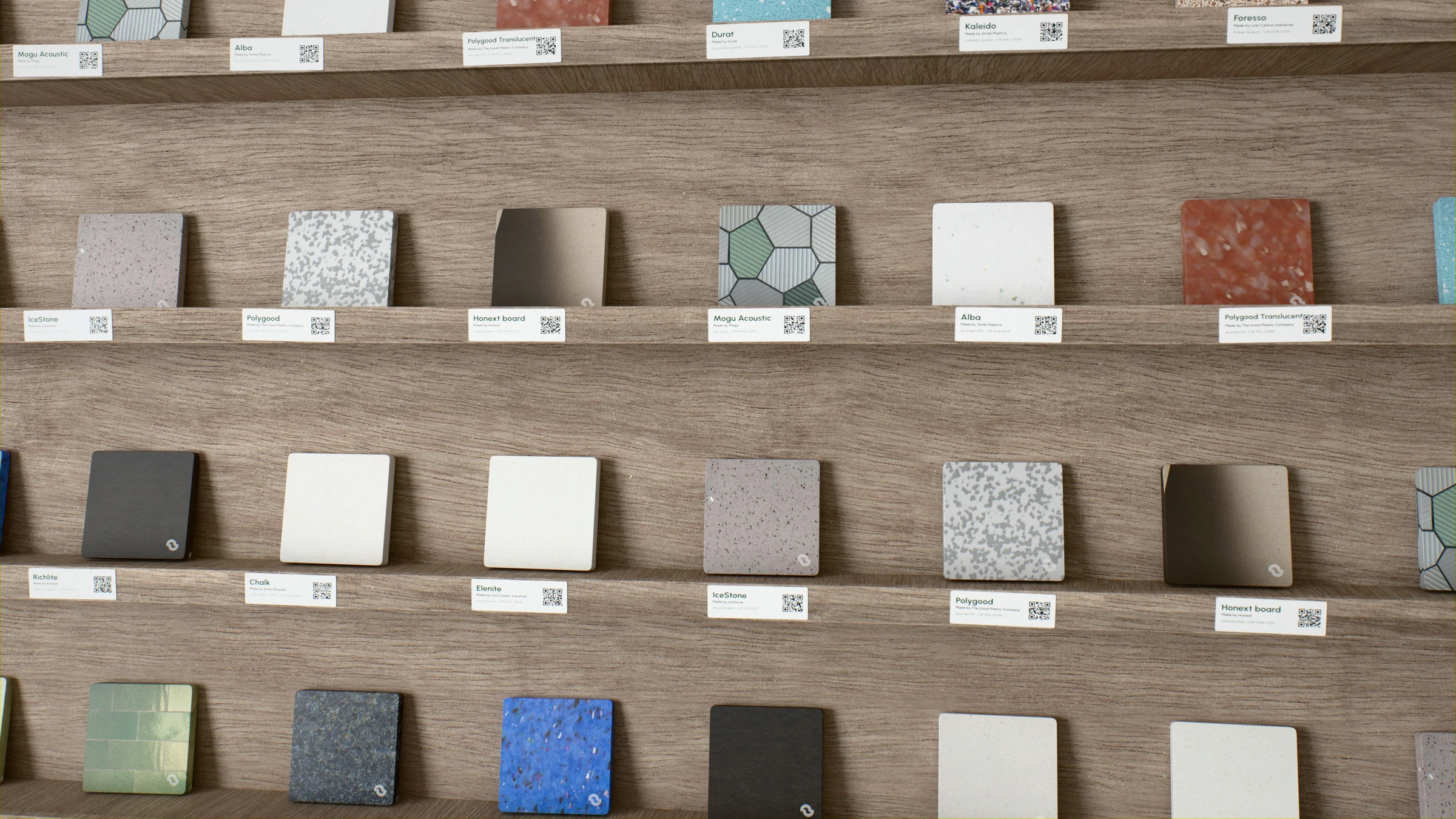
The same corner, loop and green on a sample box, a swatch label and a workshop sample library. These are mock-ups, not photographs.
The idea in one film
Where it stands
9 / 17
Tester concerns answered
Up from 4 on the first prototype. Not yet tested with users again.
16
People tested it
Three one-to-one interviews and a class critique.
30
Guideline pages
One system for the app, the sample box and the workshop.
Three decisions that shaped it
Words before numbers
Every material opens in plain words. The maker’s figures are one switch away, each with its source.
A sample, not a promise
The one idea kept from the first version: a swatch or a trial cut in hand before anything is specified.
Nothing is forced
The sample check became optional and never blocks the pack. Testers skipped anything that felt like a chore.
It started as a tool for engineers
The first version was a platform for tolerances, certified test samples and suppliers. Testing moved it toward plain words. One idea survived every version: put a real sample in the designer’s hand.
First version
- For hardware teams and material suppliers
- Matched by engineering tolerances and sliders
- Standard test samples to ASTM and ISO
- Factory pilot logs and a required QR check
Current version
- For industrial design students and small studios
- Matched in plain words, the numbers one tap away
- A swatch or a trial cut, sent to hold and test
- An optional check, and a pack for the workshop
What stayed: the sample
Circuma still sends the material itself, not only a page about it. That is the part no library or analysis tool in the review offered together with matching.
Why now
Recycled supply is growing and rules are coming, but very little of it reaches a designer’s material choice.
6.9%
of the materials the world uses come from secondary sources, down from 7.2%
6–9%
yearly growth forecast for recycled plastics, a market put at $48 to 86 billion in 2025 depending on the definition
2026
the EU Digital Product Passport registry opens in July; recycled-content rules are expected to follow from 2027
Sources: Circularity Gap Report 2025 (Circle Economy, Deloitte); MarketsandMarkets and Research and Markets; European Commission.
Who it is for
Two people, drawn from the brief and the interviews: one still studying, one running a small start-up.
Maya, 24
Final-year industrial design student. Furniture and consumer hardware, made in the school workshop.
Cares about sustainability. Short on time, budget and material knowledge.
Needs
- A short list of alternatives to trust, fast
- A comparison in plain words, with the data close by
- A sample to keep, cut and test
- A spec pack to hand to a manufacturer
Works today
- Starts with a search, then asks a professor or mentor
- Visits a material library when the project is unusual
- Chooses the form first; the material often comes after
Julian, 34
Founder of a two-person hardware start-up. Takes products from CAD to short-run manufacturing, with no engineering or buying team.
Has the skills, not the time. Every mistake comes out of the project budget.
Needs
- Proof a recycled material will run in the process already in use
- A small test quantity, not a pallet
- Numbers and sources a client or factory will accept
- A pack to brief the manufacturer
Works today
- Asks suppliers directly and waits for replies
- Reads data sheets that cannot be compared
- Stays with the virgin material when unsure
1 · Brief
Doing
Gets a brief that asks for a lower-impact material
Feeling
Unsure where to start
With Circuma
Starts from what is being made
2 · Search
Doing
Searches, asks a mentor, opens three libraries
Feeling
Buried in data sheets
With Circuma
Six plain questions, each one optional
3 · Compare
Doing
Lines up numbers that do not match
Feeling
Not sure what to trust
With Circuma
Matches in plain words, trade-offs named
4 · Sample
Doing
Emails makers and waits
Feeling
Stuck
With Circuma
A swatch or a trial cut in days
5 · Hand-off
Doing
Writes the spec alone
Feeling
Expects push-back from the workshop
With Circuma
A pack with the facts and the questions to ask
16 people saw it before it changed
Three one-to-one interviews on the first prototype, then a class critique of the reworked version.
3
one-to-one interviews with industrial design students working in furniture and consumer hardware
12 + 1
students and the instructor in a life-cycle assessment class at Parsons, as a group critique
17
separate things they raised, tracked one by one until the current build
Between a material library and an LCA tool
Libraries inspire. LCA and selection tools measure. In the review, none started from what a designer already makes and ended with a sample in hand.
Material libraries
Browse and get inspired
- Material ConneXion
- MaterialDistrict
- Future Materials Bank
- Healthy Materials Lab
- Materiom
Samples and data hubs
Specify and order
- Material Bank
- mindful MATERIALS
Selection software
Engineer the choice
- Ansys Granta Selector
- Makersite
LCA tools
Measure the impact
- One Click LCA
- SimaPro
- Sphera
- Sustainable Minds
Placed by how much each tool tells you and how far it takes you. Material Bank also sends samples, but as a catalogue to browse, not a match to what you make.
How the first three testers ranked the four features
Three one-to-one sessions with design students, and one group critique with a life-cycle assessment class.
| Feature | User test 1 | User test 2 | User test 3 |
|---|---|---|---|
| AI material matcher | Love | Love | Love |
| Circular material library | Like | Like | Like |
| Sample store | Like | Like | In between |
| QR scan and sample check | Lowest | Good to have | Like |
The matcher won every time. The forced QR check came last, so the sample check became optional. The class did not rank features.
What they said, and what changed
Four of the changes in full, then how many of the 17 points the current build answers.
We heard
“Why is it 98% fit? What happens to the other 2%?”
User test 2
What changed
The fit score is gone. Each match says how many of your needs it meets and names the one thing to watch.
We heard
Numbers suit professionals. Students want plain words first.
User test 3, in our words
What changed
Material and compare pages open in words. One switch shows the maker’s published numbers, each with its source.
We heard
“When I get an Uber and it says rate it, I skip.”
Class critique, on the sample check
What changed
The check is optional and never blocks the hand-off pack. Doing it earns points toward a discount.
We heard
People look for “smooth and white”, not for a process.
Class critique, in our words
What changed
The brief starts with what the product will be and how it should look. Making comes second, or first if you choose.
17 things testers raised
Counted against the design as it stands now. The new version has not been tested with users again.
First prototype
Now
- Answered in the design
- Partly answered
- Not yet
From a calibration tool to a matcher
The first wireframes asked for tolerances and showed scores. The current app asks six plain questions.
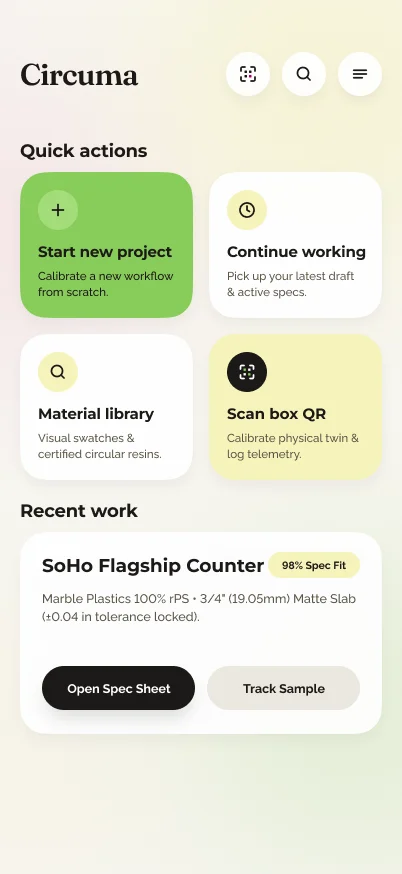
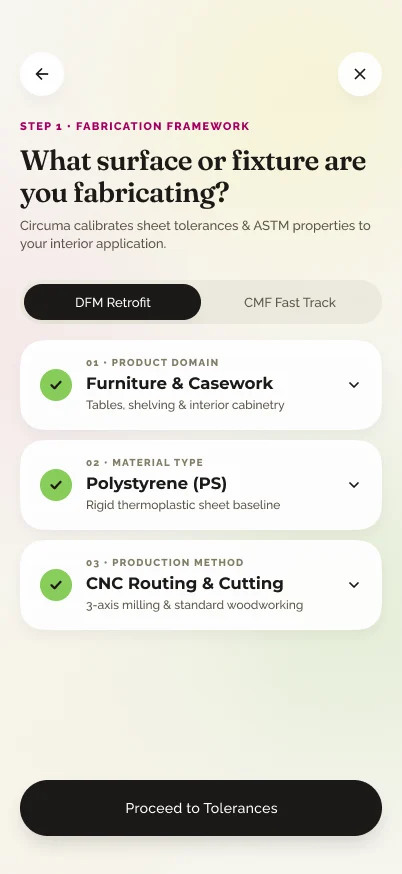
What changed
- Numbers first became words first
- The required QR check became optional
- Sliders and tolerances became six plain questions
- A fit score became a count and a named trade-off
Three versions of the brand
The first two share one direction. The third replaced the look and kept the values.
1 · First wireframes
Circuma
Serif headings over Raleway, with bright leaf green, butter yellow and magenta on warm grey. Made with the first wireframes, before any strategy.
2 · Strategy and mood board
Circuma
The same direction, refined: a crafted serif on warm paper, a smaller palette and a magenta signal.
3 · Current system
Circuma
A monoline wordmark with Urbanist and Figtree. White leads, Forest carries the brand, Mint holds things together.
Where Circuma sits among 13 brands
Each dot is another brand, coloured by the kind of tool it is. The mark is Circuma today.
- Material libraries
- Samples and data hubs
- Selection software
- LCA tools
Circuma sits in open space on logo, imagery and colour. On type, the current system joined the sans-serif group.
One mark, one corner, five colours
Canopy & Petal carries Circuma from the app to the sample box and the workshop wall.
The mark
Two half-loops meet on a rounded tile. The loop keeps reading down to a 16 px app icon.

A superellipse tile, and two half-loops 20° apart that overlap at the ends.

The lockup first. The mark alone from 96 px down to 24.
Main, on white and light grounds

Reversed, on Forest
Main on Mint
Colour
Green leads and pink stays under a tenth, so a material photo is always the loudest thing on screen.
- Forest#1E4D34 · LeadsRGB 30 77 52CMYK 83 42 85 45Pantone 350 C · 343 U
- Leaf#88CD5A · AccentRGB 136 205 90CMYK 51 0 79 0Pantone 7488 C · 367 U
- Mint#DDEFD0 · GroundRGB 221 239 208CMYK 15 0 23 0Pantone 7485 C · 7485 U
- Petal#F6C6D5 · Under 10%RGB 246 198 213CMYK 0 28 5 0Pantone 496 C · 510 U
- Berry#9C1F5B · EmphasisRGB 156 31 91CMYK 31 100 31 15Pantone 7648 C · 221 U
Neutrals: Ink #17211B (Black 3 C), Ink 2 #47554C (445 C), Surface #F4F7F3 (7541 C), White #FFFFFF. CMYK values are for coated stock (GRACoL 2006).
Type
Urbanist Bold for headings, Figtree for everything you read.
Aa
Urbanist Bold · headings
Aa
Figtree Regular · body and interface
Icons and pattern
136 icons drawn to one standard, and a chain made from the mark’s own loop.


24 px grid, 2 px line, round ends.
Four rules every screen follows
01
Words before numbers
Plain words come first. Figures are one tap away.
02
Name the trade-off
Every match names the one thing to watch.
03
Nothing is forced
Samples, checks and sign-in wait until you want them.
04
Facts stay facts
Maker figures and Circuma estimates are never mixed.
One brief, two ways in
Replace a material you use, or start from what you are making. Both join the same brief and end in the same pack.
- Start and end
- A choice
- A screen
- Optional
Every step can be closed and picked up again from Home.
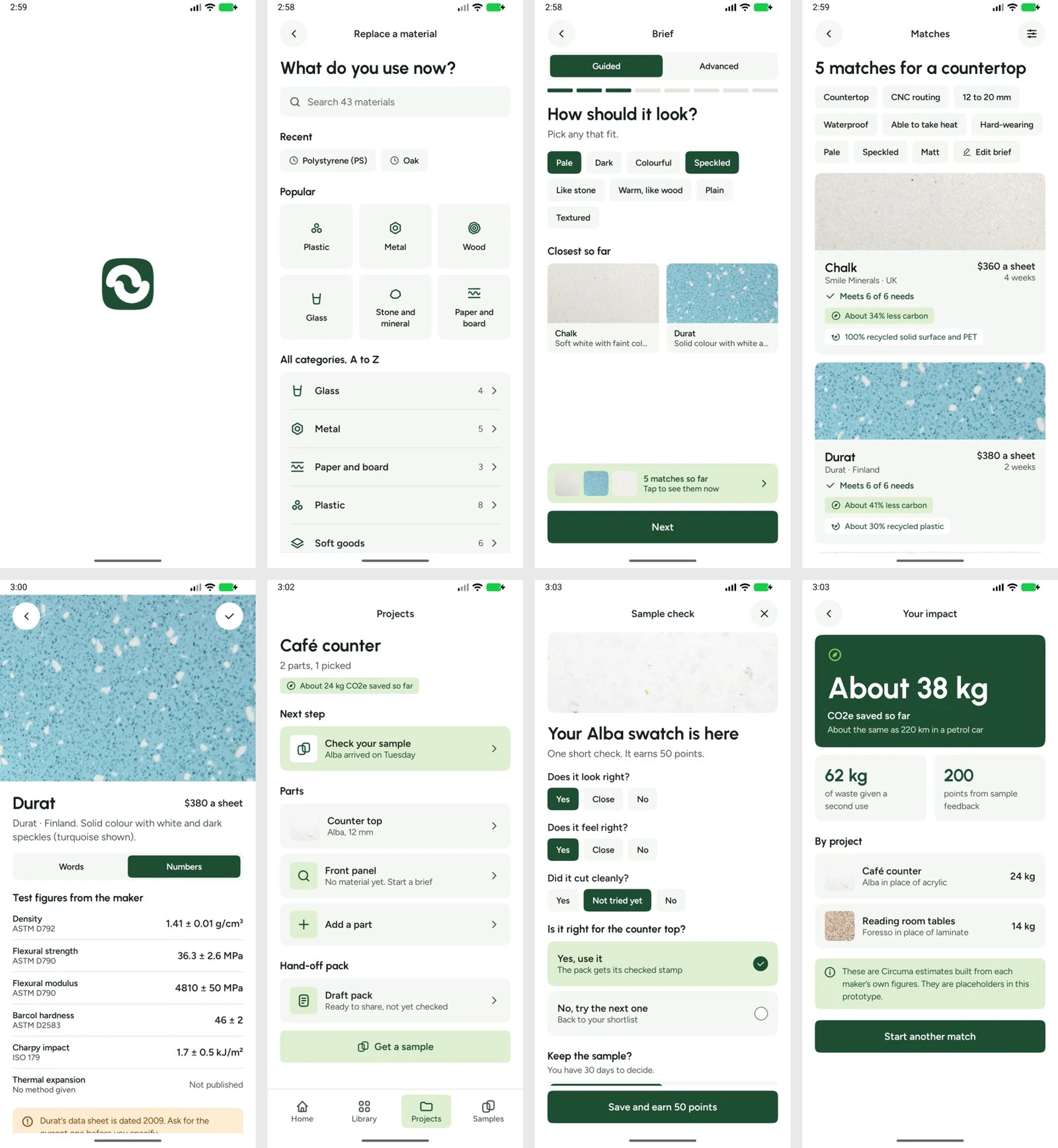
Built, not only drawn
The Figma prototype became a working Android app, so the matching and the motion could be tried on a real phone.
Leave and come back
A brief belongs to a project and is saved at every step. Close it part-way and it is waiting on Home.
Team
Shumo Wang. Parsons School of Design, 2026. Made across two classes: Digital Product Design and Systems for Brands.